Keepnet SMS and Call Reporter: Check Any Suspicious Text or Call
Check any suspicious text or unknown call with the free Keepnet SMS and Call Reporter app and get a verdict in seconds, with the reason behind it.

On this page 11 sections
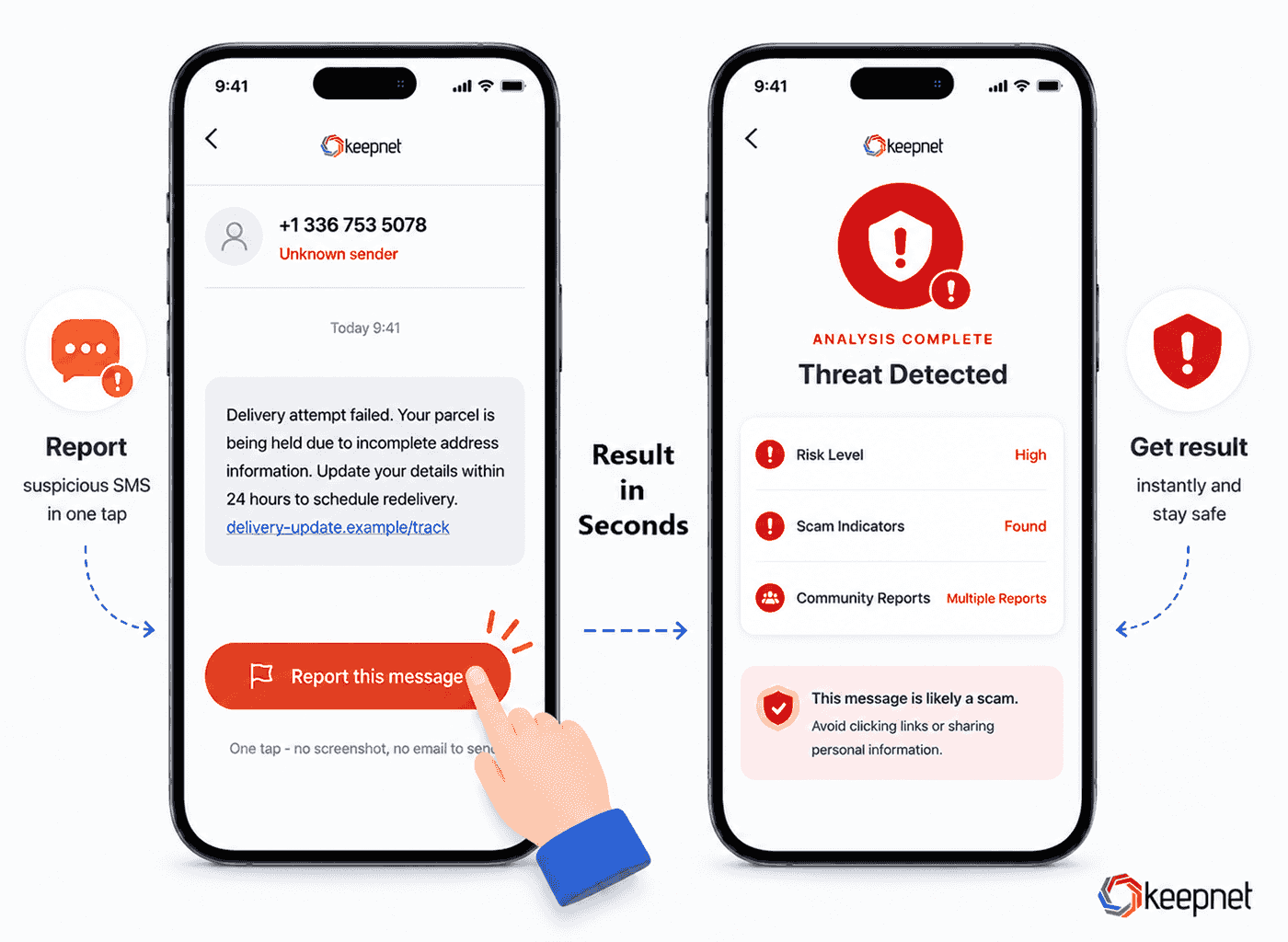
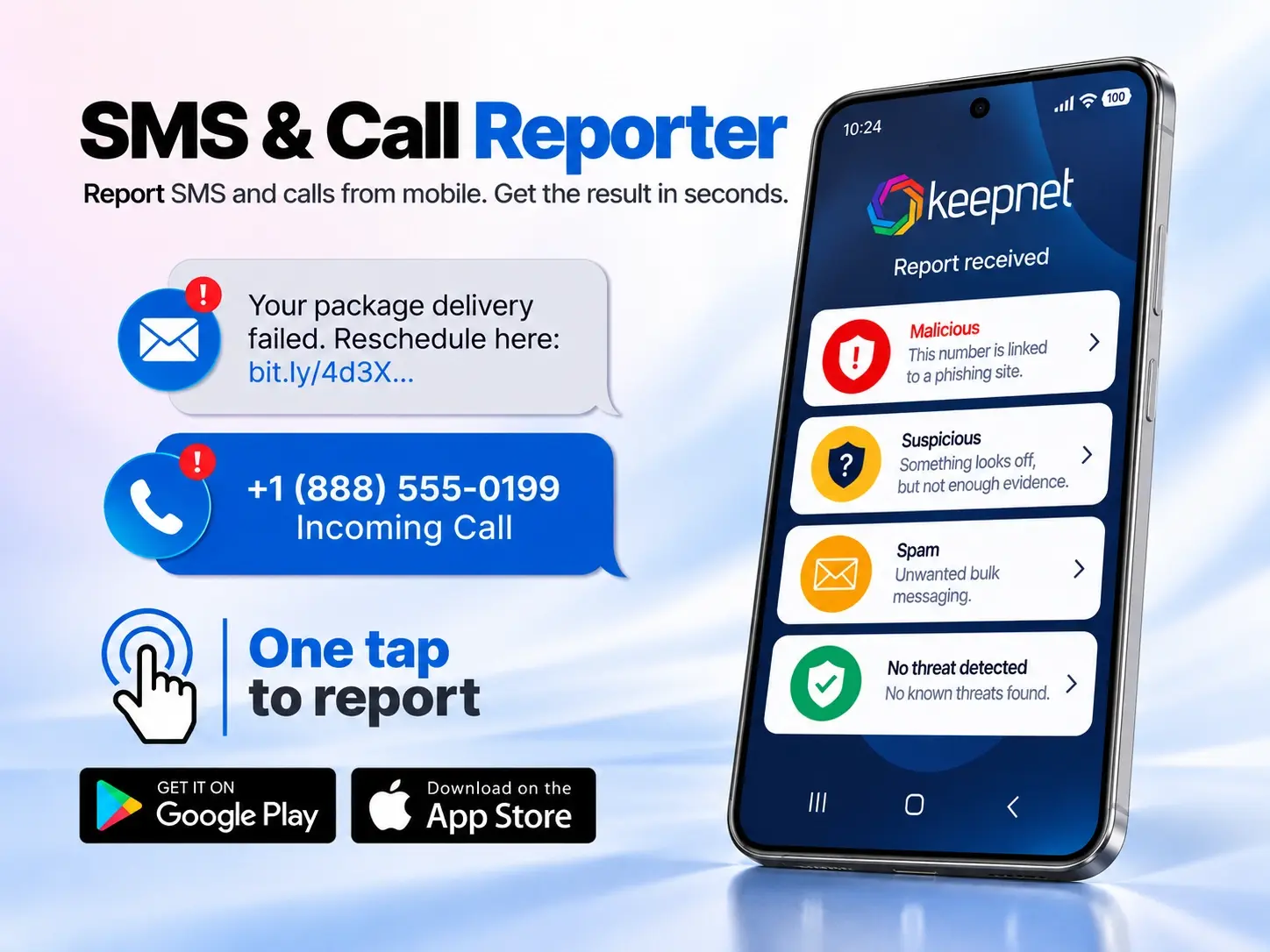
If you just got a text you were not expecting, or a call from a number you do not recognize, you do not have to guess. Report it in one tap with the free Keepnet Reporter app and get a clear verdict back in seconds: no threat detected, suspicious, spam, or malicious, each with the reason behind it.
The app is free. There is no subscription, no in app purchase, and no account required. You can use it as a guest. It works on iPhone, in the United States, the United Kingdom, and eight other markets.
How to Check If a Number or Text Is a Scam
Two ways to report, depending on what you received.
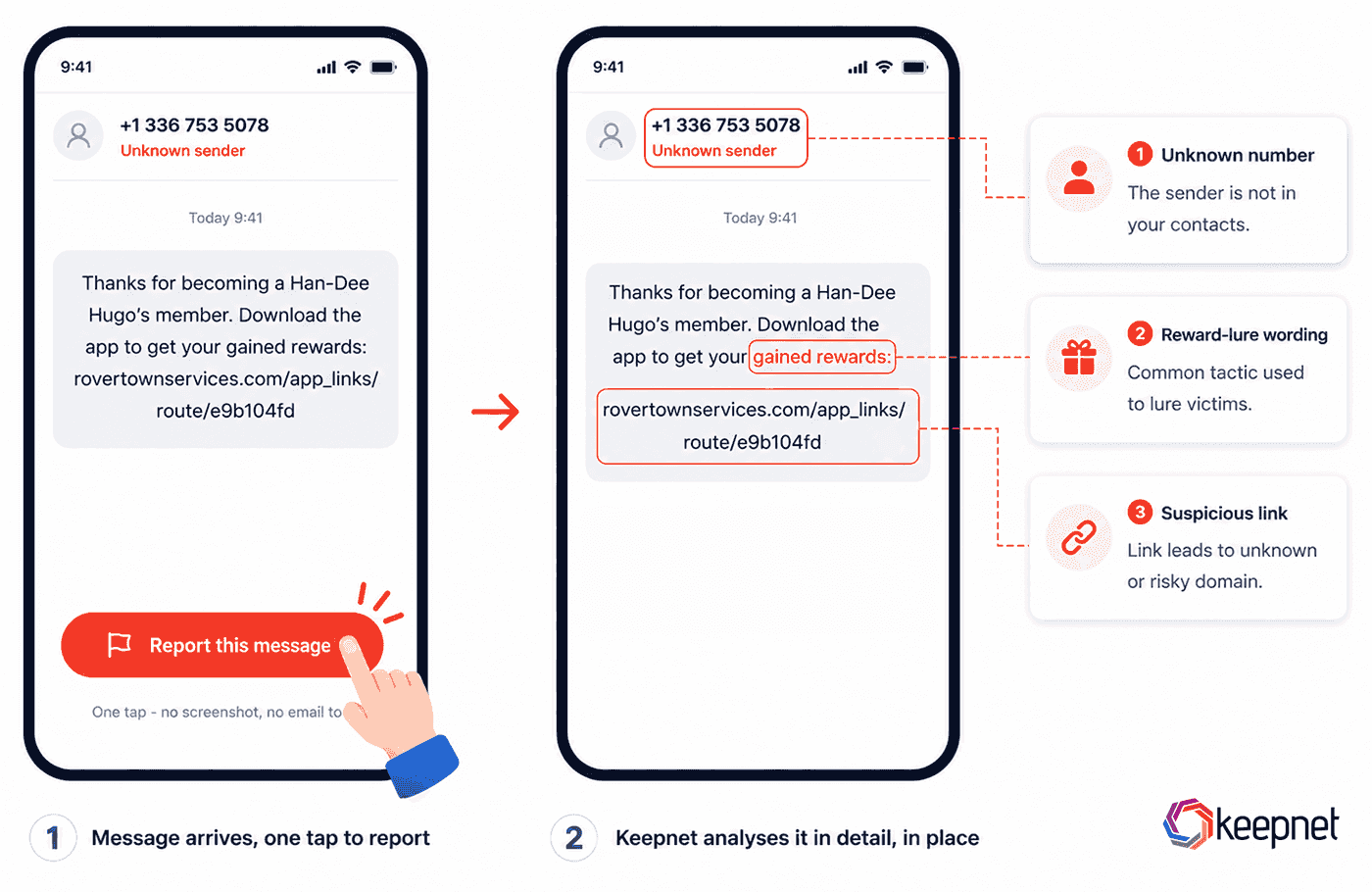
For a suspicious text message, open Messages, select the message you are unsure about, and report it through Keepnet Reporter. You never have to copy or forward anything by hand.
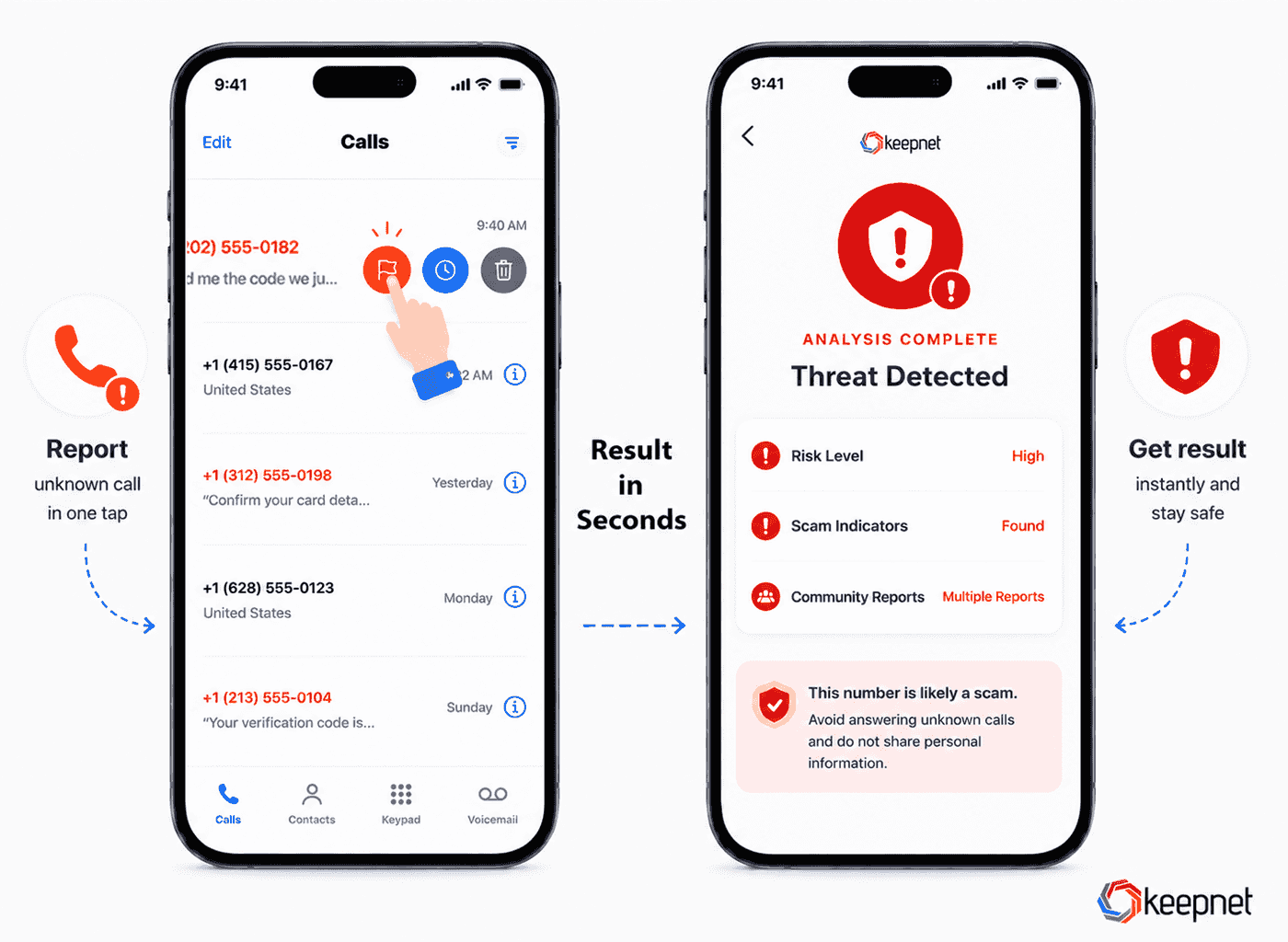
For an unknown call, open your recent calls list and report the number from there.
Either way the first check runs on your own device, so clear cases come back immediately. If the case is not clear, the report is checked against more than ten threat intelligence sources before you get an answer.
What the Results Mean
Every report comes back as one of four verdicts, and each one tells you why.
No threat detected means nothing in the message or the number matched a known threat pattern.
Suspicious means something is off, for example the sender is impersonating a brand or the link does not go where it says it goes, but there is not enough evidence to call it an attack.
Spam means it is unwanted bulk messaging rather than an attack on you specifically.
Malicious means the message or number is linked to a known attack, most often a phishing site, a payment scam, or credential theft.
These results are for guidance only and do not constitute a security guarantee. If money has already left your account, contact your bank first.
We Do Not Read Your Messages
This is the question most people ask before installing anything that touches their texts, so here is the direct answer.
Keepnet Reporter does not read or scan the contents of your SMS inbox. Data only leaves your phone at the moment you tap Report, and only for the item you chose. Apple own privacy rules block apps from reaching your message history in the background, so the app is limited to the reporting flow you start yourself. Anything you do send is encrypted in transit.
Your reports are deleted automatically after 90 days. You can export your data or delete it yourself at any time.
Free, and No Account Required
There is nothing to buy in this app. No subscription, no paid tier, no in app purchase, no business account.
Signing in is optional. If you sign in with Apple, Google, or Microsoft, it is only so your own reports stay in sync across your own devices. Signing in does not create a business account and does not unlock anything paid, because there is nothing paid to unlock.


Content library
Preview 57,000+ phishing templates
Realistic emails, SMS and calls, free to preview.
What to Do If You Received a Suspicious Text
Do not tap the link, even to see where it goes. Many scam links only need one visit to confirm your number is active.
Do not reply, including replying STOP to a message you did not sign up for. A reply confirms a real person is reading.
Check the sender against the organization it claims to be. Banks, delivery companies, and tax authorities do not ask for passwords, one time codes, or payments over text.
Report it, so the number gets checked and other people are protected from the same campaign. Our step by step guide covers reporting through your carrier and to the authorities in each country: how to report SMS phishing.
If you already tapped a link or entered details, change that password immediately, turn on multi factor authentication, and tell your bank.
Why Scam Texts Are Getting Harder to Spot
Text based fraud is not a small corner of online crime anymore.
Phishing and spoofing was the most reported crime type to the FBI Internet Crime Complaint Center in 2025, with 191,561 complaints and $215.8 million in reported losses.[1]
The Anti-Phishing Working Group recorded roughly 3.8 million phishing attacks across 2025.[2]
Smishing specifically is growing at 30 to 40 percent quarter over quarter.[3]
The reason it is harder to tell now is that the messages are better written than they used to be. The old advice about spotting bad grammar no longer works, which is why checking the number itself is more reliable than trusting how the message reads.
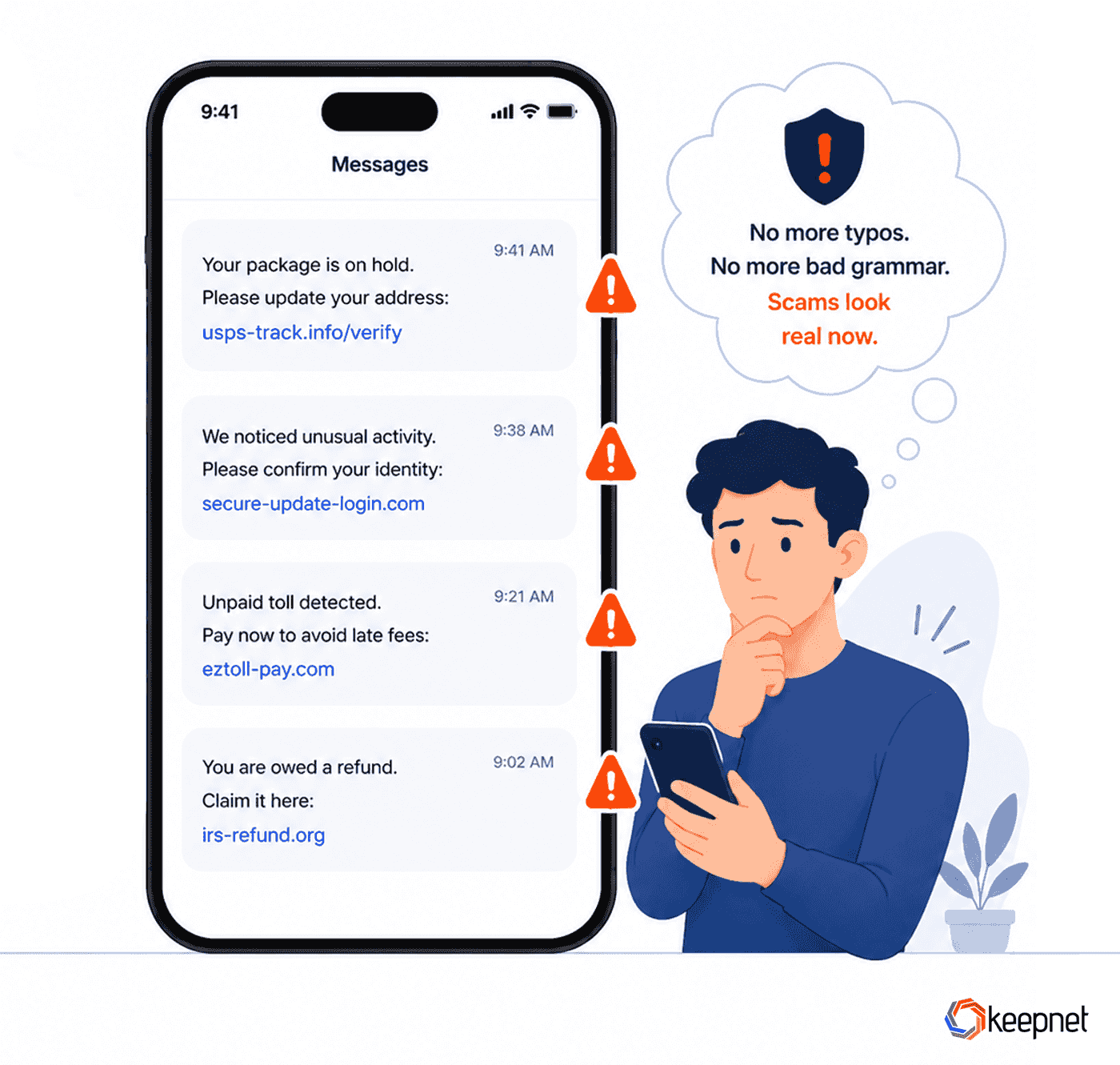
To see what current attacks actually look like, we keep a set of real examples here: 10 real life smishing examples. If you want the background on how these attacks work, start with what is smishing.
For Organizations: The Same Problem at Scale
If you are reading this because your staff keep receiving these messages at work, the individual reporting flow is only half the answer.
Phone based social engineering fails more often than email does. In simulation data, the median click rate for email is around 1.4 percent, while phone centered simulations fail at roughly 2 percent, about 40 percent higher.[4]
That comparison exists because Keepnet contributed voice and SMS phishing simulation data to the 2026 report. Keepnet is listed among the contributing organizations on p. 118.
The human element appeared in 62 percent of breaches in the same report.[5]
Most awareness programs still train and test on email only, which leaves the channel that fails more often untested. Keepnet runs simulations across SMS, voice, QR, and email in one platform, so the training matches the way people are actually targeted. See smishing simulator.
Central Reporting for Teams
When employees report suspicious texts and calls from their own phones, those reports do not have to stay on the phone. Keepnet Reporter feeds them into central reporting, so the security team sees what is actually reaching people, on the channels that email gateways never touch.
That matters because most organizations have no visibility here at all. Email has a reporting button, a queue, and a workflow. SMS and voice have nothing. The attack that reaches an employee personal phone at nine in the evening is invisible to the SOC unless someone chooses to mention it the next morning.
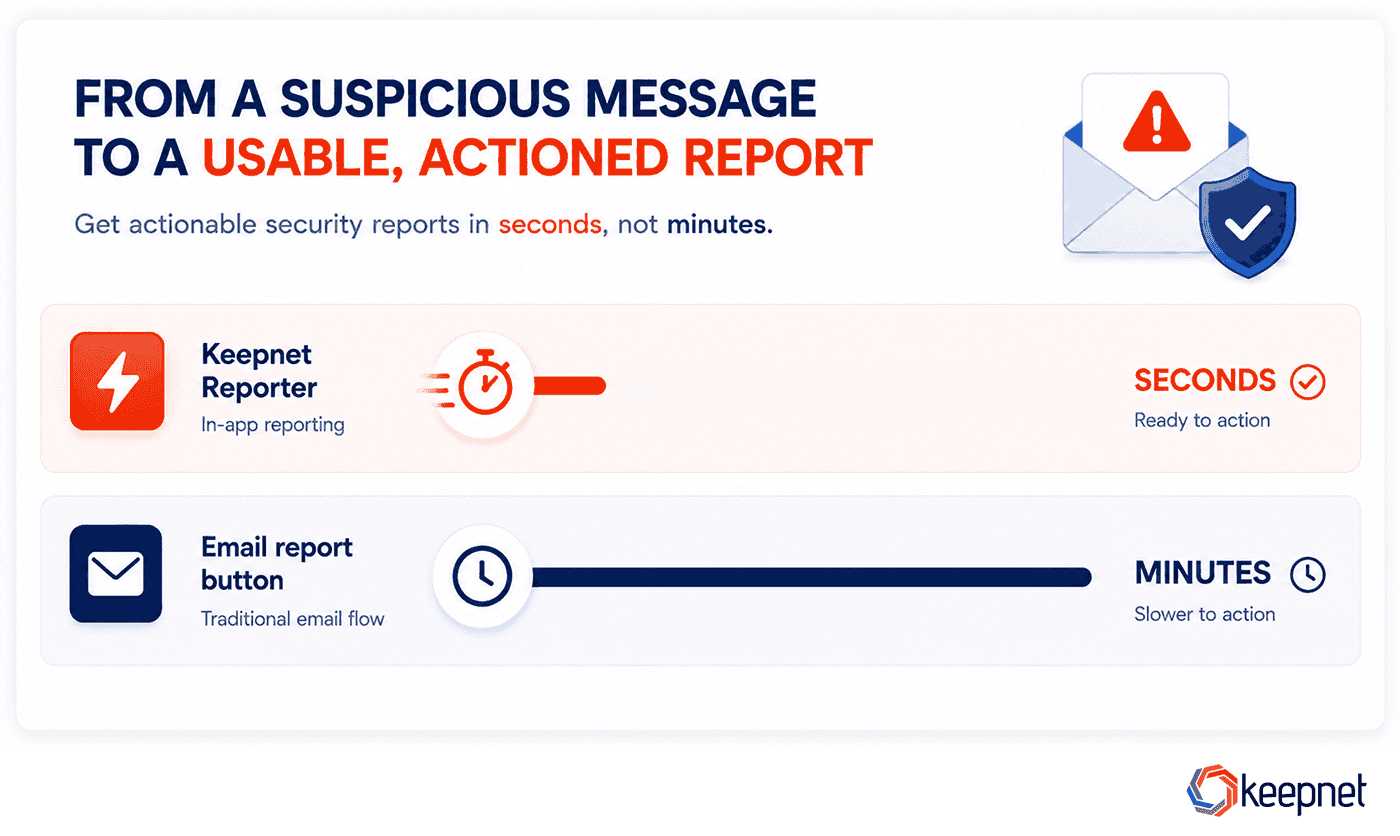
Two things change once reporting is central. First, you can see patterns rather than incidents: the same fake delivery notice hitting eleven people in one department is a campaign, not eleven coincidences. Second, you can measure. Reporting rate and time to report are the two numbers that tell you whether awareness training is producing behavior, and until now they only existed for email.
If you want to test
how your people respond before an attack arrives, see smishing simulator and vishing simulator.
Get the App
Keepnet Reporter is free on the App Store and Google Play. No account, nothing to buy.
Download Keepnet Reporter on the App Store
Download Keepnet Reporter on the Play Store
Sources
Frequently asked questions
Report the number through the free Keepnet Reporter app and you get a verdict in seconds: no threat detected, suspicious, spam, or malicious, with the reason. For calls you report the number from your recent calls list, for texts you report the message from Messages. The result is for guidance and is not a security guarantee.
Yes. There is no subscription, no in app purchase, and no paid tier. You do not need an account and you can use it as a guest.
No. The app does not read or scan your SMS inbox. Data only leaves your phone when you tap Report, and only for that one item. Apple privacy rules prevent apps from accessing message history in the background, so the app can only see what you choose to send.
Reports are deleted automatically after 90 days. You can also export or delete your data yourself at any time.
Change the password for any account you entered details into, turn on multi factor authentication, and contact your bank if payment or card details were involved. Then report the message so the number can be checked.
Yes. Open your recent calls, select the unknown number, and report it. The same four verdicts apply.
No. There is no call recording and no audio analysis anywhere in the app. When you report a call, Apple's reporting interface passes an app only two things: the caller's number and the time the call came in. Call audio is never handed to a third party app by iOS, and the app requests no microphone, speech recognition or call recording permission, so the capability does not exist even in principle. What gets checked is the number itself: line type, carrier, country, matches in spam databases and other phone risk signals.
There is no transcript either. iOS does not make call audio or a transcript of it available to any third party app, so this is a platform limit rather than a product choice.
For a call, the number and the time of the call. For a text, the message you selected to report. Nothing is collected in the background and nothing is sent until you tap Report. Reports are deleted automatically after 90 days, and you can export or delete your data yourself at any time.
The result is not a flat real or fake. A reported number comes back as one of four verdicts, no threat detected, suspicious, spam, or malicious, and each one comes with the reasoning behind it. A borderline number lands on suspicious with an explanation rather than being forced into a yes or no, which is the case the question is really about. The verdict is guidance for your own decision and not a security guarantee, and for a call it is based on the number and its risk signals, not on anything said during the call.
Yes. Keepnet Reporter is on Google Play for Android phones, free like the iPhone app. You enter the suspicious number or message yourself, or share a text into the app, and you get the same four verdicts. It never asks for access to your SMS inbox or call log.
Your people are getting these texts at work too
Book a Keepnet demo and run a simulation across email, voice, SMS and QR in one console.
- See what reaches them on SMS and voice.
- Measure who reports, and how fast.
- Train on the channels email gateways never touch.
30 minutes with a Keepnet specialist, on your own use cases.

Author
Ozan Ucar
Founder and CEO, Keepnet
Ozan founded Keepnet in 2017 and has worked in cyber security since 2006. He leads Keepnet's product direction and works with security teams on measuring and changing the behaviours behind incidents.