Threat sharing



Act on the phishing other companies have already seen
Share what your employees report, and remove what others share before it spreads.
See what other security teams are reporting
Reported phishing, shared across communities of security teams.
Phishing shared by your communities, each with a TLP label.
Harmful links and files flagged, with a hash to block.
Members, sector and who can join, set by the owner.
Phishing shared by your communities, each with a TLP label.
Example data. Names are fictional. Shared threats are found and removed with Incident Responder.
Security teams running Keepnet










Each security team sees only its own reports
The same phishing often reaches several companies in a sector. Alone, each team finds it late.
How threat sharing works
Share, investigate, act
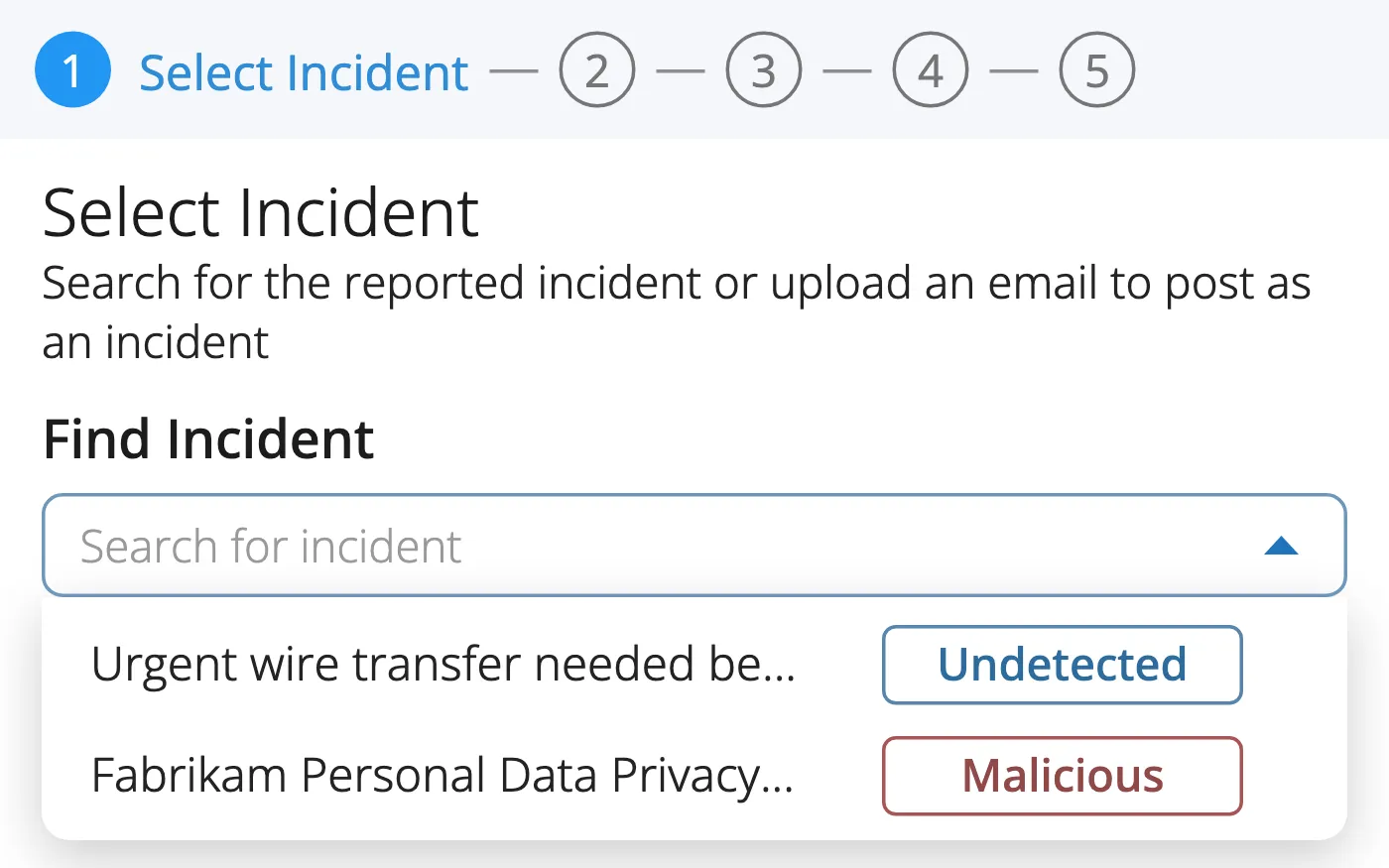
1. Share
Post a reported email to your community.
- From Incident Responder's reported list
- Or upload an .eml or .msg file
- With a TLP label on every post
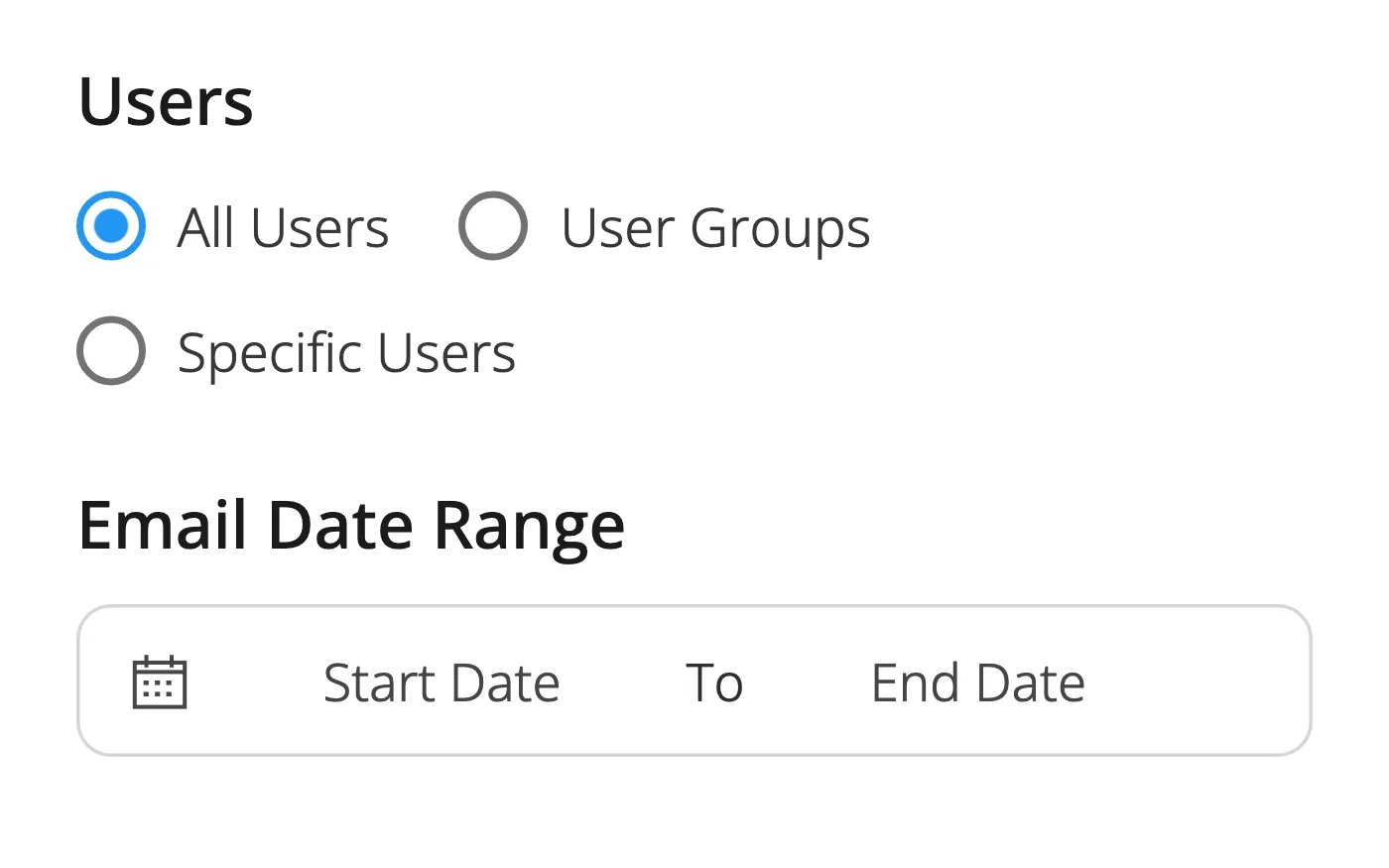
2. Investigate
Search your organisation for it.
- All employees, groups or chosen ones
- Across your connected mail sources
- For as long as you set
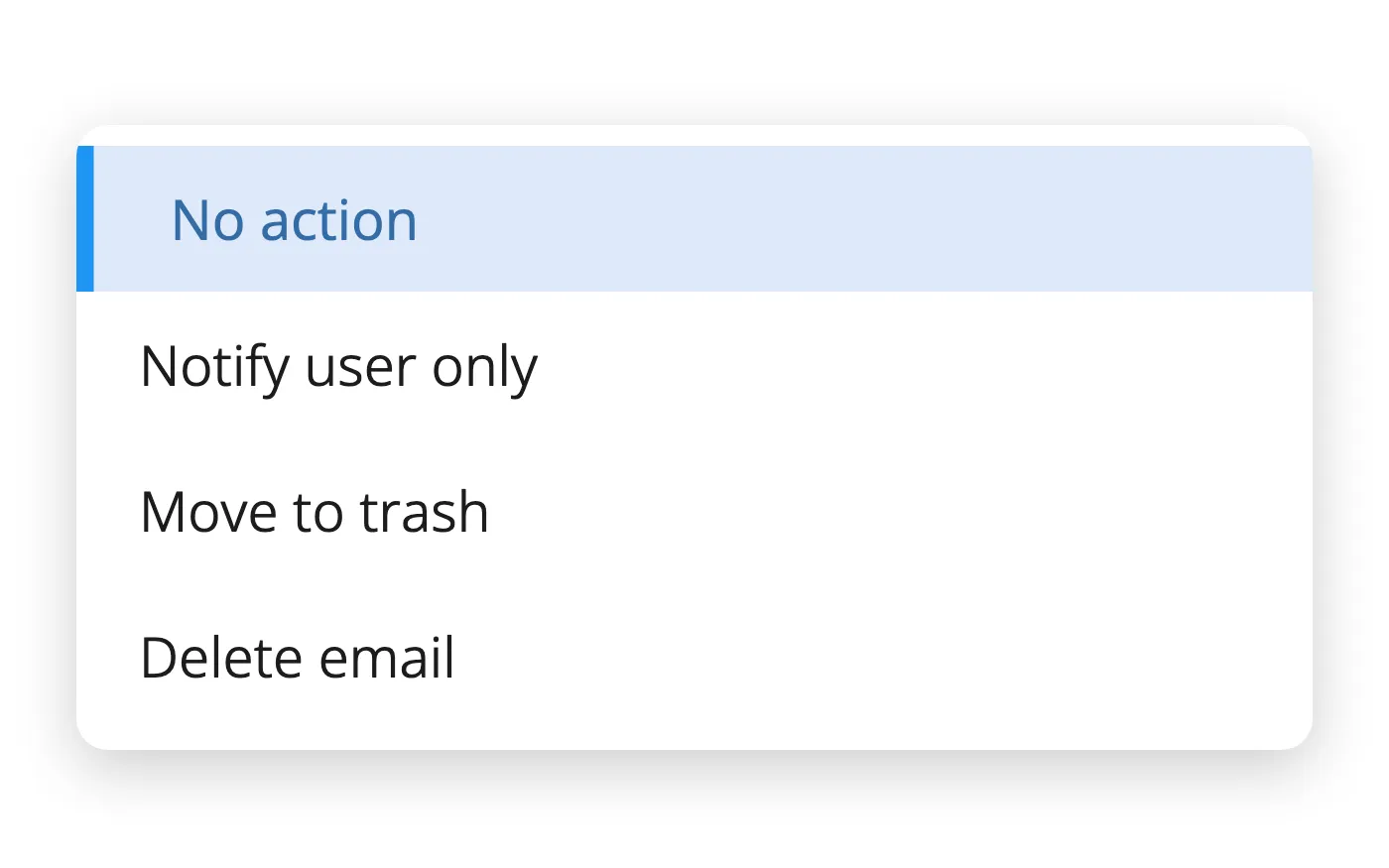
3. Act
Decide what happens when it is found.
- Notify the employee
- Move it to trash
- Or delete it
You decide what leaves your organisation
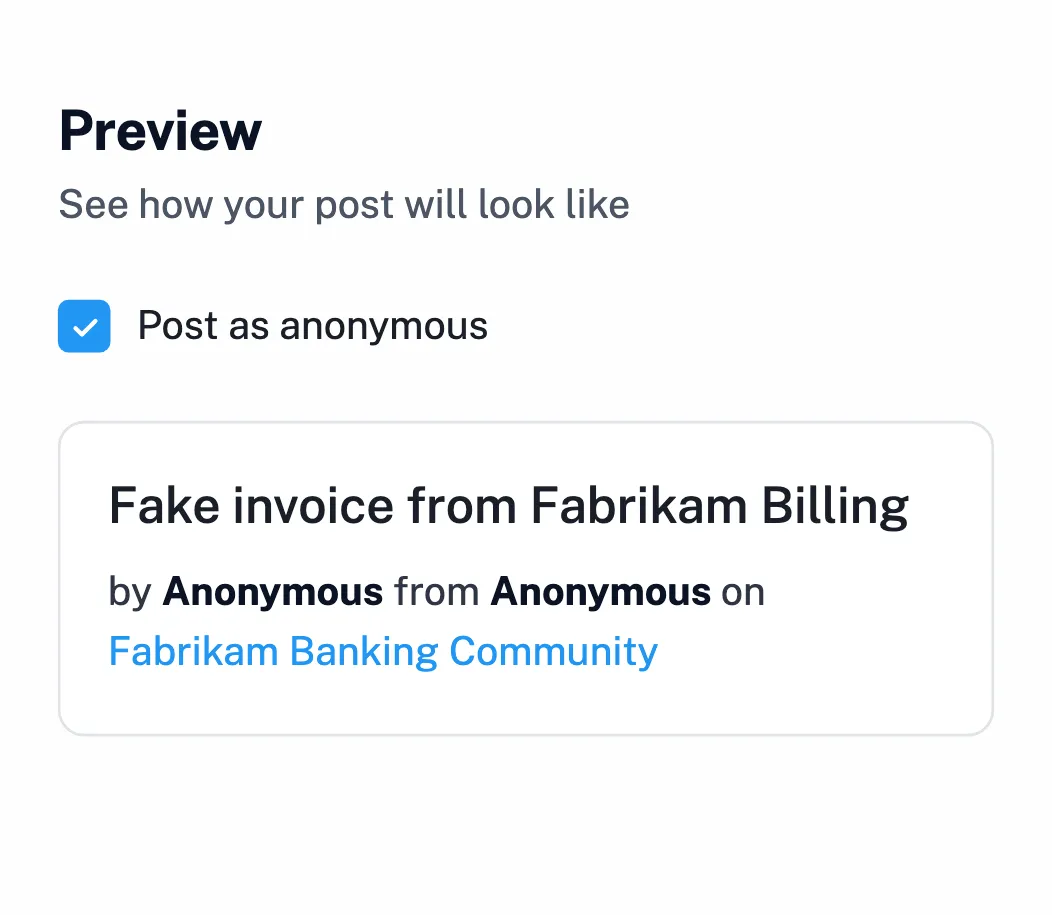
Post anonymously
Your name and organisation stay hidden.
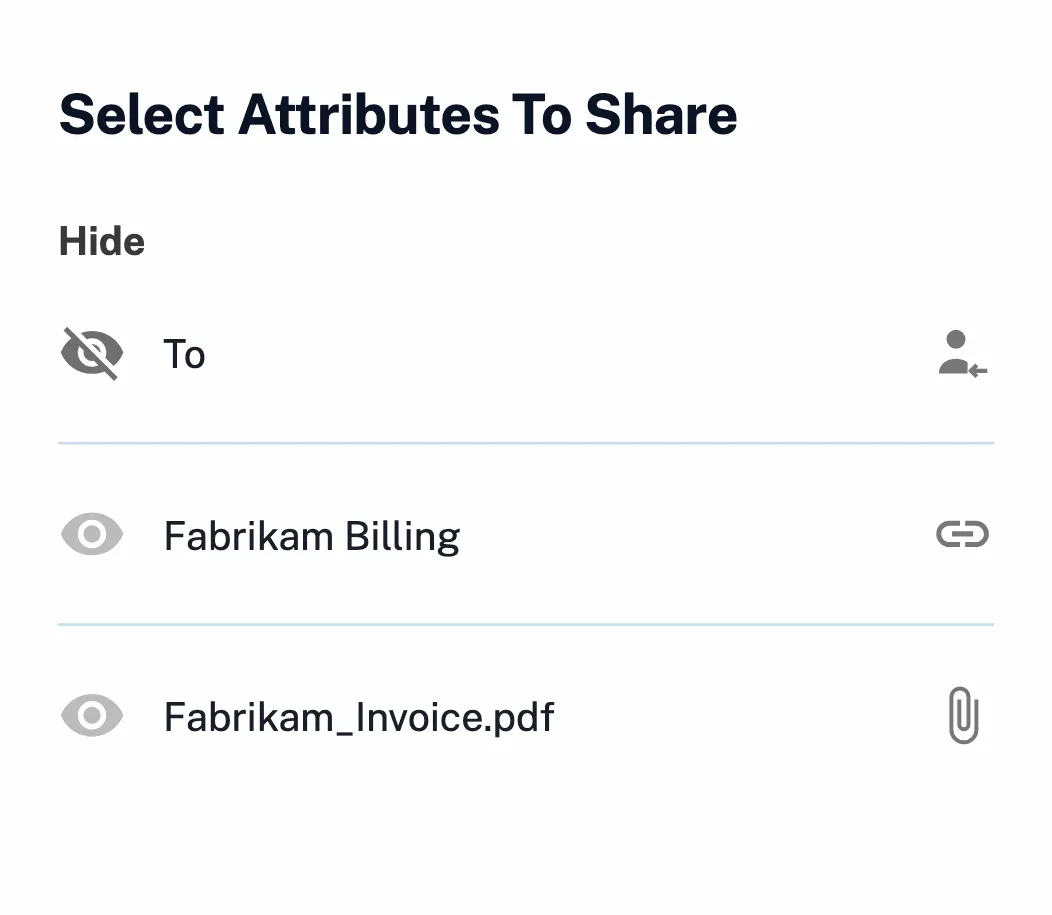
Hide any detail
Header, links and files, one by one. The recipient is hidden by default.
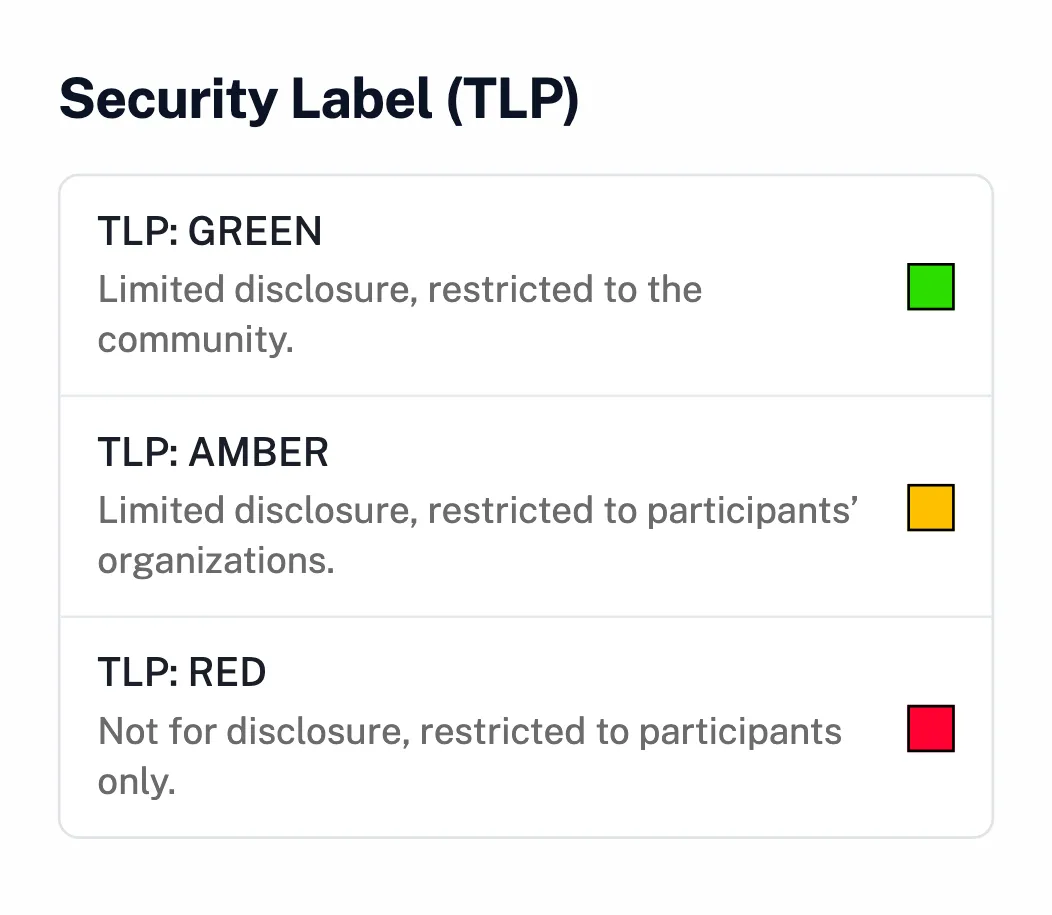
TLP labels
Each post says how far it can be shared.
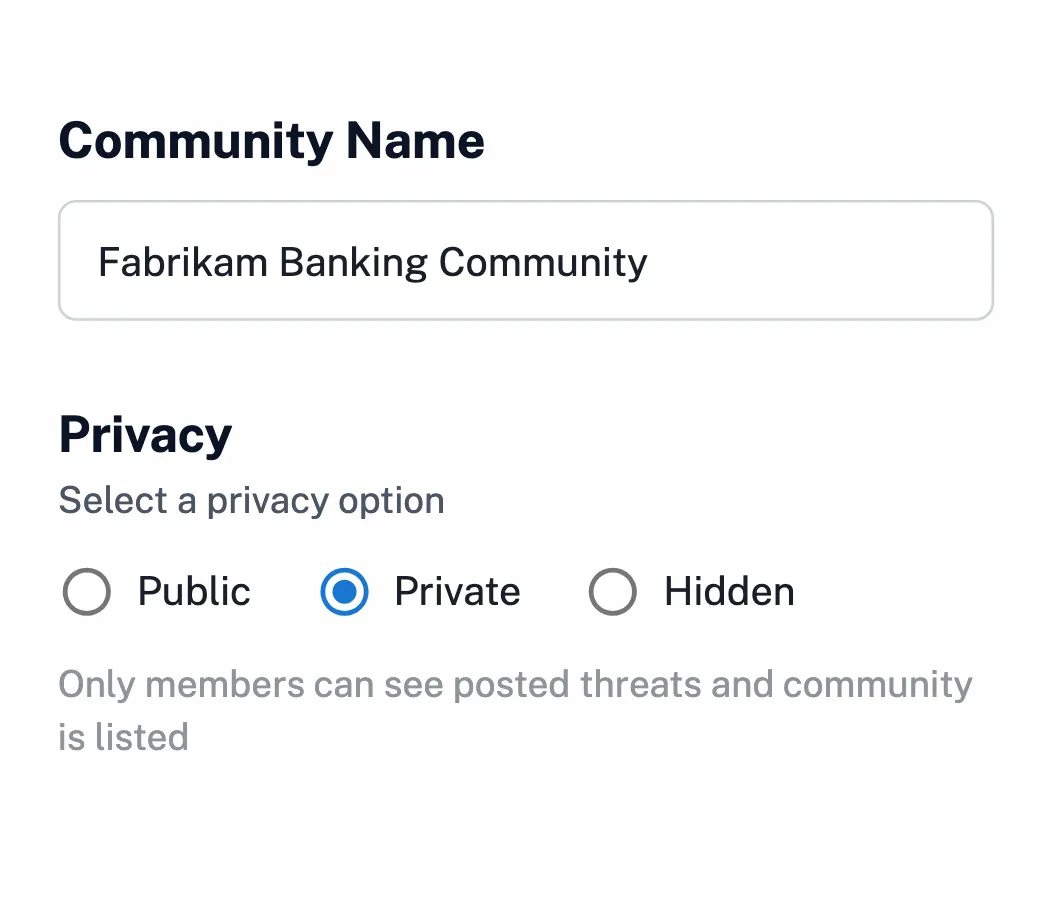
Your audience
Public, private or hidden communities.
Build your own ISAC
Set the purpose
Name it, pick the sector, set the rules.
Choose who joins
Invite members, or approve requests to join.
Join your sector
Find public communities by industry.
Where it is already running
Every report makes the next one count
Employees report
With the report button, included in every plan.
Your team analyses
In Incident Responder, ready to share.
Others act on it
Found and removed in their organisations too.
Help employees spot and report it first with the multi-channel phishing simulator.
Questions to ask a threat sharing vendor
| Question | Keepnet |
|---|---|
| Is it built for reported phishing? | Yes. Communities share the phishing their employees report. |
| Can we share anonymously? | Yes. Your name and organisation stay hidden. |
| Can we hide details before sharing? | Yes. Header fields, links and files, one by one. |
| Are posts labelled for onward sharing? | Yes, with a TLP label on each post. |
| Can we run a private community? | Yes: public, private or hidden. |
| Can we find a shared threat in our organisation? | Yes, and notify the employee, move it to trash or delete it. |
| Where is the data kept? | In the region you choose. |
The evidence is published, not on request


Four current certifications, independently audited. Certificates and the full control set are published at doc.keepnetlabs.com/resources/compliance.
Pricing
Part of the Keepnet platform
Priced per employee, as part of the secure behaviour management platform.
See the plan prices- Pay only for what you runStart with one product and add the rest later.
- Priced per employeeThe more employees you cover, the less you pay per employee.
- With Incident ResponderShare what employees report, and act on what others share.
- Try before you commitTry and buy, or a proof of value with your own employees.
"It would be unfair to single out just one feature. The mail scenarios and customisable training modules are particularly excellent."
"It's a really great platform with a lot of flexibility to ensure our requirements are met. Onboarding was friendly, enjoyable, and thorough."
"It's super easy and intuitive to setup campaigns, whilst making it easier for end-users to report phishing emails."
"The product itself works great on day one and delivers immediate value as our team was able to get started with our phishing exercise program immediately."
"It has been consistent, reliable, and implementations over time shows that they really listen customer feedback."
"We've seen a noticeable improvement in how employees react to suspicious emails or phone calls- because they remember the stories."
"Within minutes, we can create realistic, scenario-based templates specific to our organization, reducing setup time while increasing the relevance of training."
"The simulations and campaigns are very customisable and realistic."
"Thanks to Keepnet's Incident Response tool, we reduced the e-mail analysis and response time, which used to take hours, to 2 minutes."
Gartner's notice on these reviews is at the foot of the page.
Keepnet Labs has a rating of 4.9 out of 5 based on 104 ratings in the Security Awareness Computer-Based Training market on Gartner Peer Insights as of October 2026. Gartner and Peer Insights™ are trademarks of Gartner, Inc. and/or its affiliates. All rights reserved. Gartner Peer Insights content consists of the opinions of individual end users based on their own experiences, and should not be construed as statements of fact, nor do they represent the views of Gartner or its affiliates. Gartner does not endorse any vendor, product or service depicted in this content nor makes any warranties, expressed or implied, with respect to this content, about its accuracy or completeness, including any warranties of merchantability or fitness for a particular purpose.
What buyers ask about threat sharing
Short answers first. New to the topic? Read what threat intelligence sharing is.
A threat sharing platform lets security teams exchange threat information with each other. Keepnet's is built for phishing: teams share what their employees report, and members check their own organisation for it.
Phishing campaigns often reach several organisations in the same sector. When one team shares what its employees reported, the others can find and remove it sooner.
An ISAC (Information Sharing and Analysis Center) is a trusted group, often by sector, that shares threat information among its members. In Keepnet you can build your own: create a private or hidden community, set its purpose and sector, and decide who joins.
TLP is a set of labels that tells recipients how far they may share information. Every Keepnet post carries one, set by the member who shares it.
Employees of organisations that use Keepnet. Public communities are open to them; private and hidden ones are by invitation or approval.
A threat intelligence platform collects feeds for a security operations centre. Keepnet Threat Sharing focuses on reported phishing, and links each shared threat to finding and removing it in your organisation.
NIS2 (Article 29) and DORA (Article 45) encourage cyber threat information-sharing arrangements. A Keepnet community can serve as one, with TLP labels and anonymous posting. Your compliance team decides how it fits your obligations.
Open-source tools such as MISP are free to use, but you host, feed and moderate them yourself. Keepnet Threat Sharing comes with the Keepnet platform: the communities, anonymous posting and the investigation run in the same console.
No. It is part of the Keepnet platform, alongside Incident Responder, simulations and training.
See what your sector is sharing
- Communities for your sectorPublic ones to join, and your own to build.
- Share a reported emailAnonymously, with only the details you choose.
- Find it in your organisationInvestigate, then notify, move or delete.
- Your rolloutWho shares, and who acts on what comes in.

Book a demo
Thirty minutes, no cost and no obligation.
Thank you, your request is in
A confirmation is on its way to your inbox.
Thirty minutes with the Keepnet team, on Microsoft Teams. Your details are already filled in.
Prefer to pick a time later? The team will follow up within one working day.
Your demo is booked
A calendar invite is on its way to your inbox, with a Microsoft Teams link.
The booking calendar will not open in this page.
Open the calendar in a new tabSources
- Keepnet console, dash.keepnetlabs.com: Threat Sharing incidents, communities, posting an incident and investigation. Organisation names and domains are fictional.
- CrowdStrike, 2026 Global Threat Report (press release, 24 February 2026): the average eCrime breakout time fell to 29 minutes in 2025.
- ENISA, Threat Landscape 2025 (4,875 incidents, 1 July 2024 to 30 June 2025), p. 8: phishing, including vishing, malspam and malvertising, accounted for about 60% of observed cases.
- FIRST, Traffic Light Protocol (TLP): definitions and usage guidance.
- Keepnet documentation, Threat Sharing.